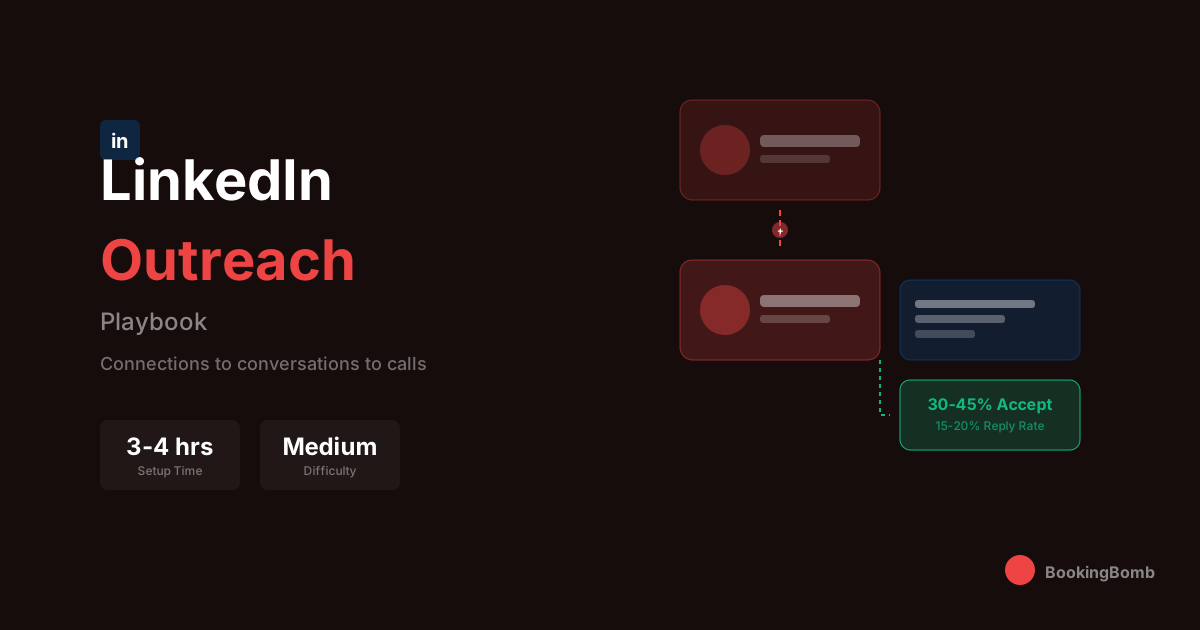
The LinkedIn Outreach Playbook
The complete LinkedIn outreach system that generates qualified meetings without getting your account restricted. Connection requests, messaging sequences, and content strategy that actually works.
Time to Execute
3-4 hours setup
Difficulty
Medium
Expected Result
30-45% connection rate, 15-20% reply rate
What This Playbook Covers
How to optimize your LinkedIn profile for outbound selling
Connection request strategies that get accepted (not ignored)
Messaging sequences that start real conversations
Content tactics that warm up prospects before you message them
How to stay under LinkedIn's radar and avoid restrictions
The exact follow-up cadence that converts connections to calls
Tools and automation that scale your efforts without getting banned
Before You Start
- • LinkedIn Sales Navigator subscription (essential for targeting)
- • Optimized LinkedIn profile (we'll cover this, but start thinking about it)
- • Clear ICP (Ideal Customer Profile) with specific titles and industries
- • CRM to track LinkedIn conversations (HubSpot, Pipedrive, etc.)
- • 30-60 minutes daily for LinkedIn activity
- • Content ideas or ability to create basic posts (optional but powerful)
The Step-by-Step Process
Audit and Optimize Your LinkedIn Profile
Your profile is your landing page. Before sending a single connection request, you need to make sure your profile sells for you. Most sales reps have profiles that scream 'I want to sell you something.' Instead, position yourself as someone who helps solve problems. Your headline should speak to the outcome you deliver, not your job title. Your about section should be written for your prospect, not a recruiter. Every section of your profile should answer one question: 'What's in it for the person viewing this?' Remove corporate jargon, add specific results you've helped clients achieve, and make sure your banner image reinforces your value proposition. If your profile picture looks like a hostage photo from 2015, get a new one. First impressions matter, and your photo is the first thing prospects see. Keep it professional but approachable. A slight smile, good lighting, and a clean background go a long way. Your featured section should showcase case studies, testimonials, or valuable content—not your company's generic brochure. This is prime real estate for social proof.
Example:
Instead of: 'Account Executive at SaaS Company | Helping businesses grow' Use: 'Helping B2B SaaS companies cut customer acquisition costs by 40% | Former Head of Growth at [Notable Company]'
Build Your Target List in Sales Navigator
Sales Navigator is non-negotiable for serious LinkedIn outreach. The targeting capabilities are leagues ahead of basic LinkedIn search. Start by creating a saved search with your ICP criteria: job titles, industries, company sizes, geographic regions, and any other relevant filters. Get specific. You want 'VP of Marketing at Series B fintech companies with 100-500 employees in the US who posted in the last 30 days,' not 'marketing people.' The 'posted on LinkedIn in past 30 days' filter is gold—it shows you people who are actually active on the platform and more likely to see and respond to your outreach. Create multiple saved searches for different segments of your ICP. Maybe you have one for enterprise targets and another for mid-market. Keep these lists updated weekly and monitor for new prospects who fit your criteria. Sales Navigator also shows you mutual connections, shared experiences, and recent activity. Use this intelligence to personalize your outreach. The goal is to have 200-500 highly qualified prospects in your pipeline at any given time.
Example:
Sales Navigator Search: Title = VP Marketing OR Director of Marketing OR Head of Growth | Industry = Computer Software OR Financial Services | Company Headcount = 51-500 | Geography = United States | Posted on LinkedIn = Past 30 days | Keywords in profile = 'B2B' OR 'SaaS'
Warm Up Prospects Before Connecting
The biggest mistake in LinkedIn outreach is going straight for the connection request with strangers. You need to warm up your prospects first, and the best way to do this is through meaningful engagement with their content. Spend 15-20 minutes each morning going through your target list and their recent posts. Leave thoughtful comments—not 'Great post!' but actual insights that add value to the conversation. Ask genuine questions. Share a relevant perspective. When you do this consistently for 2-3 weeks before sending a connection request, your acceptance rate will skyrocket. Why? Because when your request lands, they'll recognize your name. You're not a stranger anymore; you're that person who left that insightful comment on their post about sales enablement. This approach takes patience, but it's the difference between a 20% connection rate and a 50%+ connection rate. It also sets the tone for a relationship based on value, not just pitching. Additionally, engage with their company's content and tag them occasionally. React to their posts with thoughtful emoji responses. Build familiarity before you ask for anything.
Example:
Prospect posts about challenges with remote team management. Instead of: 'Great insights!' Comment: 'The async communication point really resonates. We shifted to 'office hours' blocks instead of ad-hoc Slack threads and saw team response time improve by 60%. Curious if you've experimented with designated collaboration windows?'
Craft Connection Requests That Get Accepted
LinkedIn gives you 300 characters for a connection request note. Every character counts. The goal of your connection request is NOT to pitch—it's to get accepted. That's it. Pitching in your connection request is the fastest way to get ignored or marked as spam. Your note should establish relevance, show you've done your homework, and give them a low-friction reason to accept. Reference something specific: a recent post, a mutual connection, their company's recent news, or a shared experience. Make it about them, not you. Some people argue that blank connection requests perform better. In our testing, personalized notes win—but only when they're genuinely personalized, not obviously templated. If you can't find something specific to reference, a blank request might actually perform better than a generic one. The key is authenticity. If your connection request feels like it could have been sent to anyone, it probably won't get accepted. Take the extra 30 seconds to make it personal.
Example:
Hi Sarah - Caught your comment on Jason's post about ABM attribution. Your point about multi-touch being a cop-out resonated. We're wrestling with the same challenges at [Company]. Would love to connect and follow your content.
Design Your Messaging Sequence
Once someone accepts your connection, you have a brief window of heightened attention. Don't waste it with a pitch-slap—that's the message immediately after connection that's a blatant sales pitch. Instead, follow a deliberate sequence designed to start a conversation, not close a deal. Message 1 (Day 0-1): Thank them for connecting and reference why you reached out. Ask a genuine question related to their work. No pitch, no meeting request. Just start a conversation. Message 2 (Day 3-4): Share something valuable related to their challenges. Could be an article, a case study (not yours), or an interesting stat. Position yourself as a resource, not a seller. Message 3 (Day 7-10): If they've engaged with previous messages, this is where you can introduce what you do—through the lens of a relevant problem you've seen others in their position face. Still frame it as exploratory, not salesy. Message 4 (Day 14-21): Soft ask for a conversation. Reference something specific that makes a call worthwhile for them. Focus on what they'll learn or gain, not on your product demo. Message 5 (Day 30+): Final follow-up. Keep it short, acknowledge you've been persistent, and leave the door open. Some of our best conversions come from this 'breakup' message because it shows confidence without desperation. Throughout this sequence, respond to any replies within 24 hours. If they respond positively at any point, pivot away from the sequence and into genuine conversation.
Example:
Message 1: 'Thanks for connecting, Sarah. Your background in scaling marketing teams at fintech companies caught my attention. Curious—how are you thinking about attribution as you scale ABM programs? Seems like every marketing leader I talk to is wrestling with that.' | Message 4: 'Sarah - Been thinking about our brief exchange on attribution. We recently helped a Series C fintech company build an attribution model that actually aligned sales and marketing (first time in company history, according to their CRO). Happy to share how they did it over a quick call if useful. No pitch, just thought it might be relevant given what you're building.'
Leverage Content to Scale Your Reach
Here's the multiplier most people miss: content turns outreach from 1:1 to 1:many. When you post valuable content on LinkedIn, every engagement extends your reach. Your target prospects see your name in their feed even before you connect. You become a familiar face, a trusted voice, and someone worth connecting with. You don't need to post daily. Start with 2-3 posts per week. Focus on sharing genuine insights from your work, lessons learned (including failures), and perspectives on industry trends. Avoid corporate fluff—nobody engages with press releases. The content that performs best is specific and opinionated. Take a stance. Share a contrarian view. Tell a story with a clear lesson. When you create content that resonates with your ICP, you'll find that prospects start reaching out to you. That's the ultimate LinkedIn play: inbound from outbound. Each piece of content should have a point of view that your target audience would care about. Before posting, ask yourself: Would my ideal prospect stop scrolling to read this? If not, it's not ready. Also use comments strategically. When you comment thoughtfully on posts from industry leaders in your space, you're borrowing their audience. A great comment on a viral post can generate more profile views than your own content.
Example:
Post format that works: 'Unpopular opinion: [Contrarian take on industry norm]. Here's why: [3-4 bullet points with specific reasoning]. What we did instead: [Specific action and result]. Agree? Disagree? Drop your take in the comments.' OR 'Made a mistake last quarter that cost us [specific number]. Here's what happened: [Story]. The lesson: [Specific, actionable takeaway]. Hope this saves someone else from making the same mistake.'
Use Automation Wisely (Without Getting Banned)
LinkedIn's terms of service prohibit most automation, but let's be realistic—scaling LinkedIn outreach manually is brutal. If you choose to use automation tools, do it strategically and conservatively. Tools like Dripify, Expandi, or LinkedHelper can automate connection requests and follow-up messages. But here's the thing: LinkedIn's detection has gotten sophisticated. They track mouse movements, login patterns, and activity spikes. Getting your account restricted sets you back months. If you use automation: Start slow. Max 20-30 connection requests per day, not the 100+ some tools promise. Randomize timing. Don't send all requests at 9am like a bot would. Keep messaging personalized. Use automation for sequencing, but make sure each message feels human. Never automate engagement (likes, comments). It's obvious and cheap. Use a dedicated IP or proxy. Activity from multiple locations triggers reviews. Monitor your account daily. If you see warnings, stop immediately. Honestly? For most people, we recommend manual outreach with some organizational tools rather than full automation. The relationship quality is higher, and you won't risk losing your account. Use tools like Taplio or Shield to organize your outreach and track conversations without actually automating the sending.
Example:
Safe automation setup: 15-25 connection requests per day | 2-3 hour randomized windows | Messages pulled from a template library but with manual personalization fields | No weekend activity | Regular manual engagement mixed in | Weekly reviews of account health warnings
Track, Measure, and Optimize
What gets measured gets improved. You need to track your LinkedIn outreach metrics religiously. Build a simple spreadsheet or use your CRM to monitor: Connection request sent, accepted, and acceptance rate; First message sent and reply rate; Total replies, positive replies, and conversation rate; Meetings booked from LinkedIn and conversion rate; Content engagement and inbound connection requests. Review these weekly. You're looking for drop-off points. If your connection acceptance rate is low, your profile or request notes need work. If people connect but don't respond to messages, your sequence is the problem. If you're getting conversations but not meetings, your ask or value prop needs refinement. A/B test everything. Try different connection request angles. Test message lengths and tones. Experiment with different content types. The teams that win at LinkedIn are constantly iterating based on data. Set targets: 25%+ connection acceptance rate is good, 35%+ is excellent. 15%+ reply rate on first messages is solid. 10% of meaningful conversations should convert to meetings. If you're not hitting these benchmarks, something in your process needs optimization.
Example:
Weekly tracking dashboard: Connections Sent: 100 | Accepted: 38 (38%) | First Message Sent: 38 | Replies: 9 (24%) | Positive Replies: 6 (67% of replies) | Meetings Booked: 2 (33% of positive) | Conversion: 2% overall. Analysis: Connection rate is strong. Reply rate is good. Meeting conversion from positive replies needs work—our CTA might be too aggressive or our timing off.
Handle Objections and Convert to Calls
When prospects respond, the game changes. This isn't about following a script anymore—it's about having a genuine conversation that naturally leads to a meeting. Common responses you'll get: 'Not interested' or 'We're all set': Don't argue. Thank them, ask if you can stay connected for future reference, and move on gracefully. Some of these come back months later. 'What do you do exactly?': This is an invitation to share your value prop, but keep it brief and focused on outcomes, not features. End with a question that keeps the conversation going. 'Send me some info': Usually a brush-off, but test it. Send something genuinely valuable (not your sales deck) and follow up in 3-4 days with a specific question. 'We're evaluating options' or 'Maybe in the future': Get specific. When is the right time? What would need to change? Is there a trigger event? 'I'd be interested in learning more': Perfect. Propose 2-3 specific times rather than sending a calendar link. Make it easy for them to say yes. For all positive conversations, your goal is to move off LinkedIn quickly. Either to a phone call, video chat, or at minimum email. LinkedIn chat isn't a great place to build complex relationships. Every response should include a question to keep the conversation moving forward. Never send a message that ends the volley.
Example:
Prospect: 'Interesting. We're actually looking at improving our outbound process.' | You: 'Good timing then. Curious—what's driving the initiative? New targets, team growth, or something else? Asking because the approach varies a lot depending on the core goal.' | Prospect: 'New targets mainly. Board wants us to 3x pipeline this year.' | You: 'That's an aggressive goal but doable with the right system. We helped a similar company (Series B, $2M ARR) build a process that took them from 50 to 200+ qualified meetings per quarter. Happy to share the framework—we could do a quick 20-min call this week. Thursday at 2pm or Friday at 10am work?'
Pro Tips
Post content 30-60 minutes before you send connection requests—you'll be top of mind when your request lands
Use LinkedIn voice notes in messages—they get 300% higher response rates and show you're a real person
Join the same LinkedIn groups as your prospects and engage there before connecting
LinkedIn's algorithm favors profiles that receive inbound profile views—your content strategy matters for outbound
Screenshot interesting prospect posts and reference them in messages weeks later—shows genuine attention
Use the 'People also viewed' section on prospect profiles to find similar targets
Time your messages for Tuesday-Thursday, 8-10am in prospect's time zone—avoid Monday mornings and Friday afternoons
Comment on prospects' posts from your phone—mobile comments tend to feel more casual and human
What NOT to Do
- • Don't pitch in your connection request—fastest way to get ignored and damage your reputation
- • Don't use 'I noticed we're both in [industry]' or 'I see we share mutual connections'—everyone uses these
- • Don't send InMail if you haven't tried connection request first—InMail has lower response rates
- • Don't connect with more than 100 people per week—LinkedIn will restrict your account
- • Don't use generic content that could apply to any industry—specificity wins
- • Don't send your company brochure or sales deck when someone asks for more info
- • Don't follow up the same day if someone doesn't respond—patience is a virtue
- • Don't automate comments or engagement—it's obvious and makes you look like a spammer
- • Don't ignore profile views—someone who viewed your profile is warmer than a cold connection
- • Don't send voice notes that are over 60 seconds—keep them punchy and valuable
Explore More Resources
Want Us to Run This Playbook For You?
Skip the learning curve. Let BookingBomb execute this at scale while you focus on closing.
Book Your Strategy Call